Integration guide
Deposit
A crypto deposit is similar to a bank transfer. Funds can be sent if the recipient's bank account number is known, and in the case of a cryptocurrency deposit, it will be the wallet address. Unlike the traditional approach, your system must track the deposit processing status in the following possible ways:
Process callbacks from CryptoBilling with deposit information (see Callbacks).
Retrieve deposit information via API calls
/deposits/listand/deposits/{id}.
Deposit Process
In your system, the user wants to top up their account or pay for a service.
The user uses the “deposit” function in your system and selects BTC as the payment method.
Your system requests a deposit address from CryptoBilling and displays the BTC deposit address to the user.
The user copies the address and goes to their cryptocurrency wallet app.
The user sends BTC to this address.
CryptoBilling tracks this transaction in the blockchain and sends a callback to your system with information about the deposit, including the transaction status, amount, fee, etc.
If your system uses the callback mechanism, CryptoBilling sends a callback to your system with information about the deposit.
Otherwise, your system retrieves information about the deposit via API call.
If the deposit is successfully completed in the blockchain, CryptoBilling performs deposit checks and, if the checks pass, increases your BTC balance by the deposit amount minus the fee.
If the deposit status in the callback is successful, your system adds the amount from the callback to the user's BTC balance.
Deposit Checks in CryptoBilling
CryptoBilling performs the following checks on the deposit transaction before crediting the funds to your balance:
The deposit amount is checked against the maximum deposit amount limit.
If the check fails, processing is paused and you can contact our support team to continue processing or cancel.
The risk level of the deposit transaction is checked against the acceptable risk level for you.
If the check fails, processing is paused and you can contact our support team to continue processing or cancel.
User Actions in the Interface (Deposit)
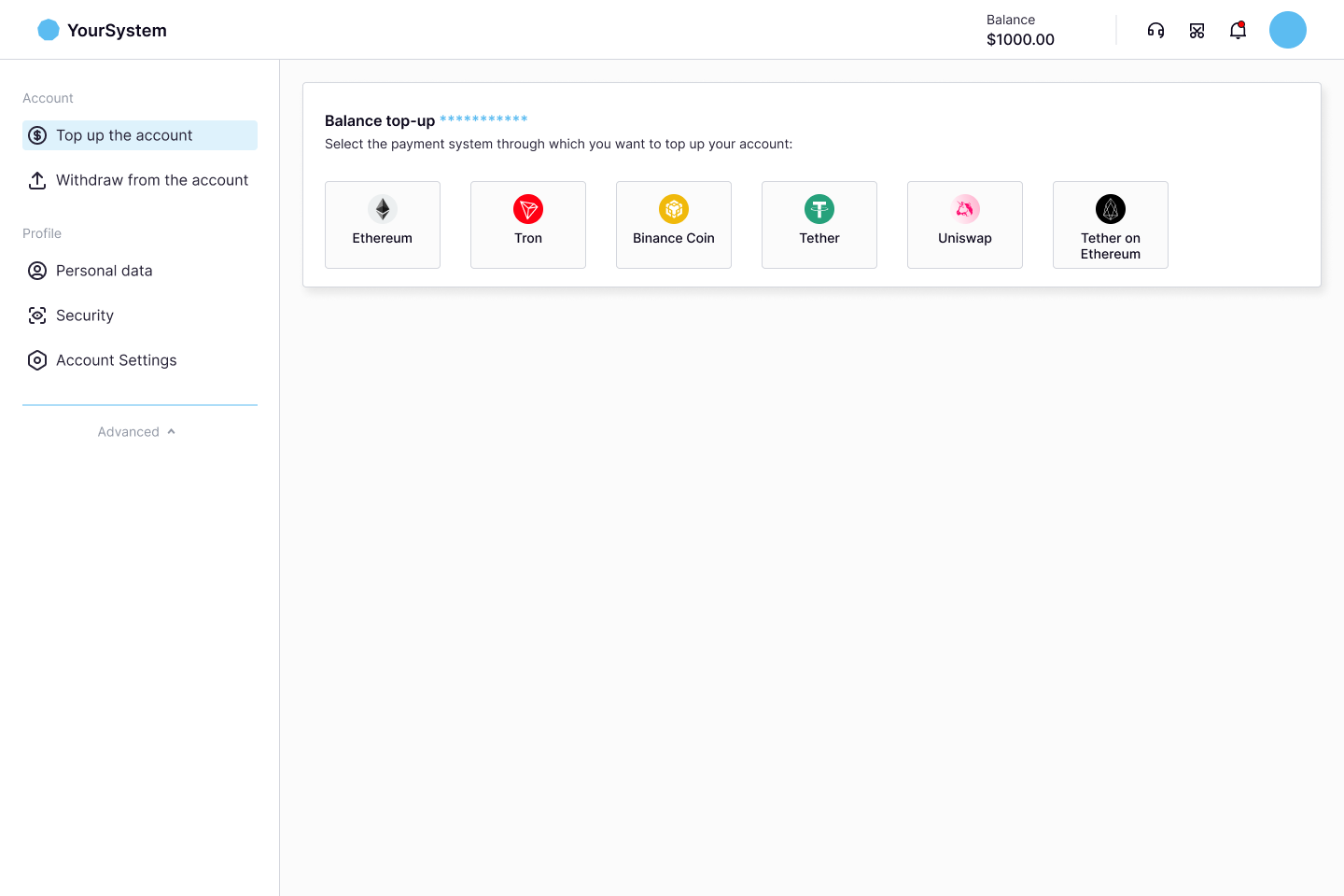
The user in your system initiates an account top-up and selects a cryptocurrency:
The user copies the address for the top-up:
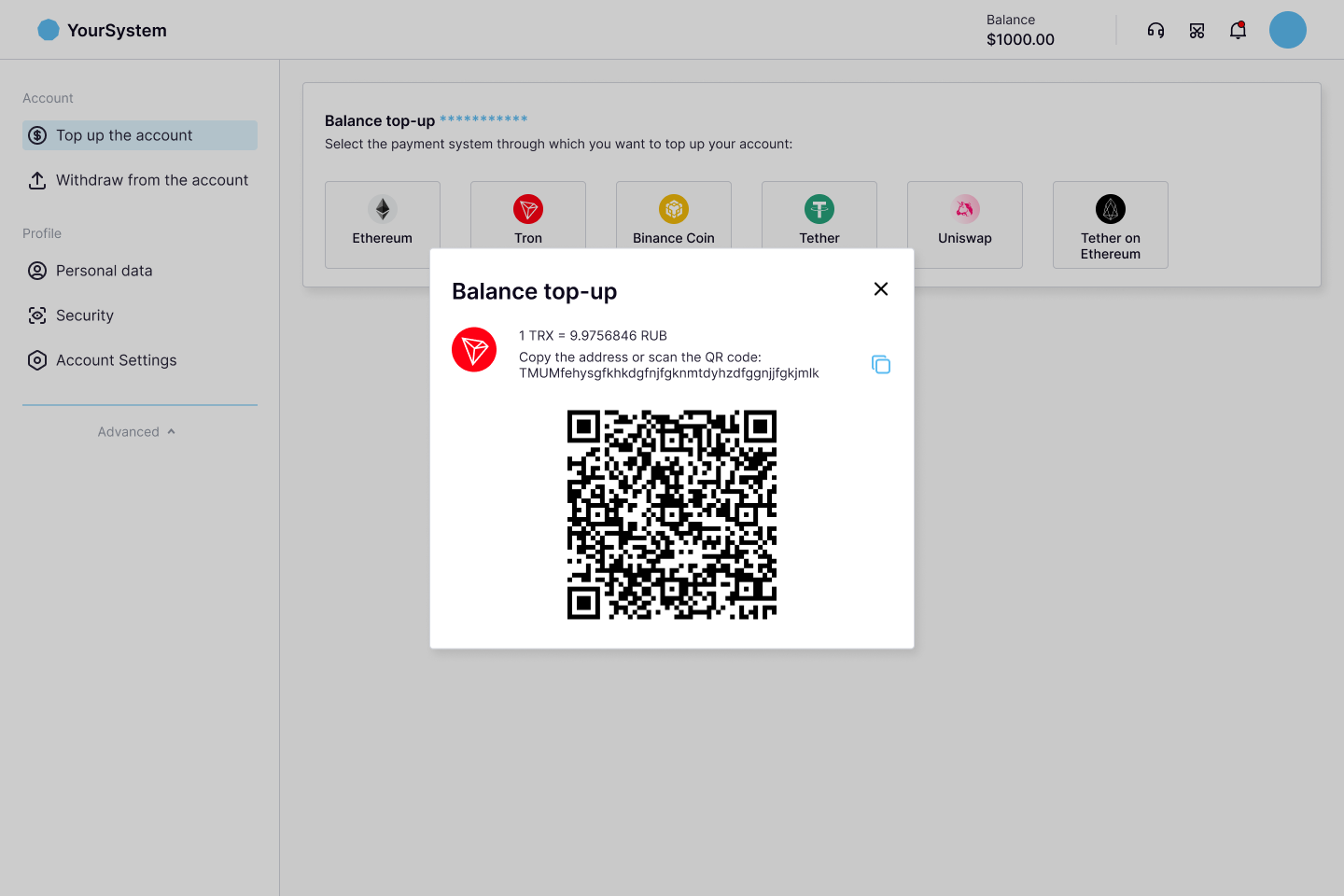
The user goes to the application (cryptocurrency wallet, exchange) where they have a balance in the selected cryptocurrency and makes a withdrawal to the address obtained in your system to top up their balance in your system.
Withdrawal
Withdrawal Process
You have a BTC balance in CryptoBilling.
The user wants to withdraw funds from their BTC balance in your system to their BTC wallet.
The user uses the “withdrawal” function in your system, selects BTC as the withdrawal currency, and fills out the withdrawal form, specifying their BTC address and the withdrawal amount.
Your system decreases the user's BTC balance by the withdrawal amount.
Your system sends a withdrawal request to CryptoBilling.
CryptoBilling decreases your BTC balance by the withdrawal amount plus the fee, performs withdrawal checks, sends your funds to the user's crypto address in the blockchain, and tracks this transaction in the blockchain.
If your system uses the callback mechanism, CryptoBilling sends a callback to your system with information about the withdrawal, including the transaction status, amount, fees, etc.
Otherwise, your system retrieves information about the withdrawal via API call.
If the withdrawal is unsuccessful, CryptoBilling returns the withdrawal amount and fees to your BTC balance.
If the withdrawal status received from CryptoBilling is unsuccessful, your system returns the amount from the callback to the user's BTC balance.
Withdrawals below the minimum withdrawal limit will not be processed and your system will receive an error in response to the withdrawal request. You can get information about deposit and withdrawal limits in response to the API call /instruments/list. You can also find information about deposit and withdrawal limits in the "Instruments" section of your personal account.
Withdrawal Checks in CryptoBilling
CryptoBilling performs the following checks on the withdrawal request before sending the funds to the user's crypto address in the blockchain:
You can set the following types of limits for the withdrawal amount:
For a single transaction
For transactions per hour
For transactions per day
The risk level of the user's crypto address is checked against the acceptable risk level for you.
User Actions in the Interface (Withdrawals)
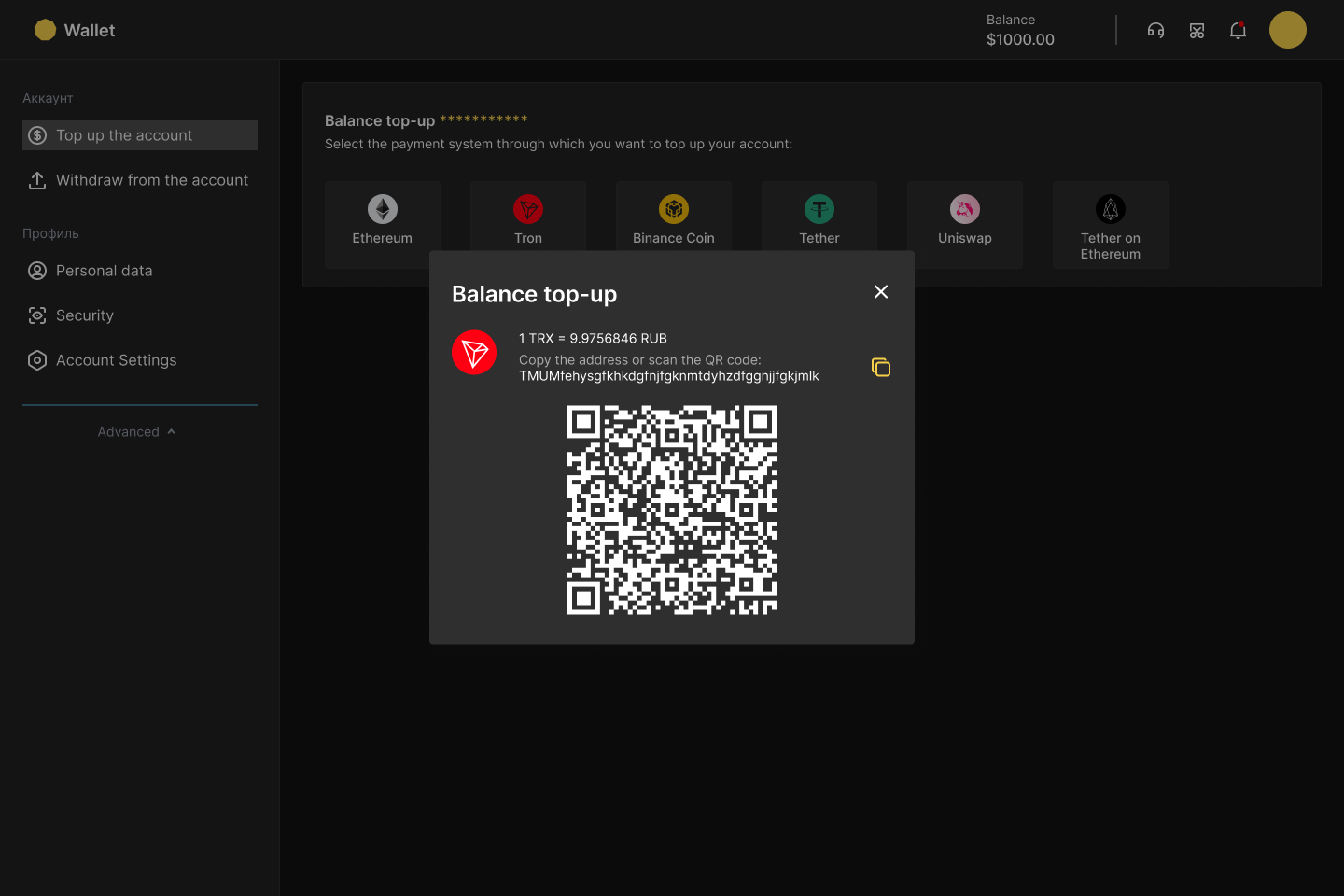
The user goes to the application (cryptocurrency wallet, exchange) where they need to top up their balance with a cryptocurrency and obtains a top-up address.
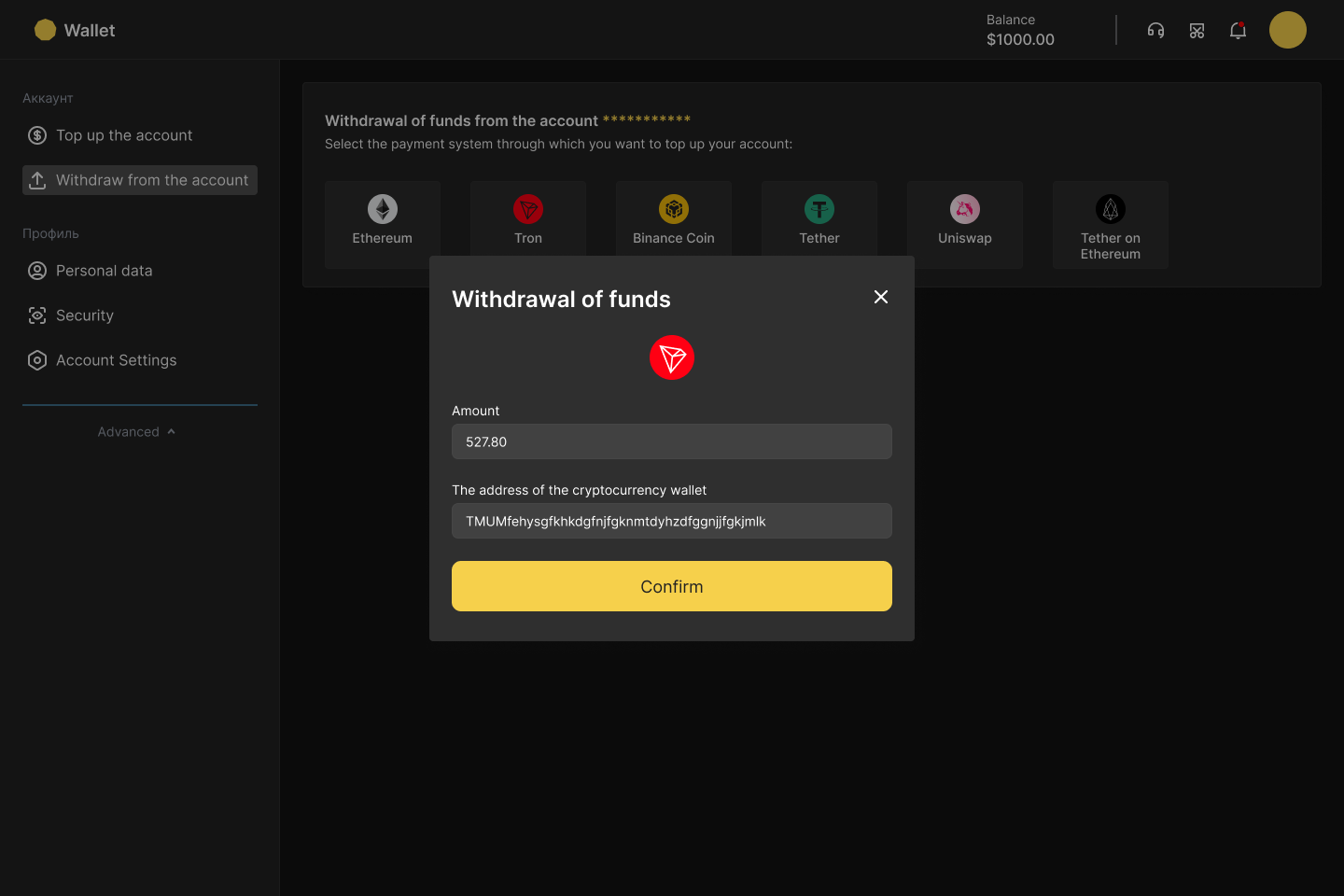
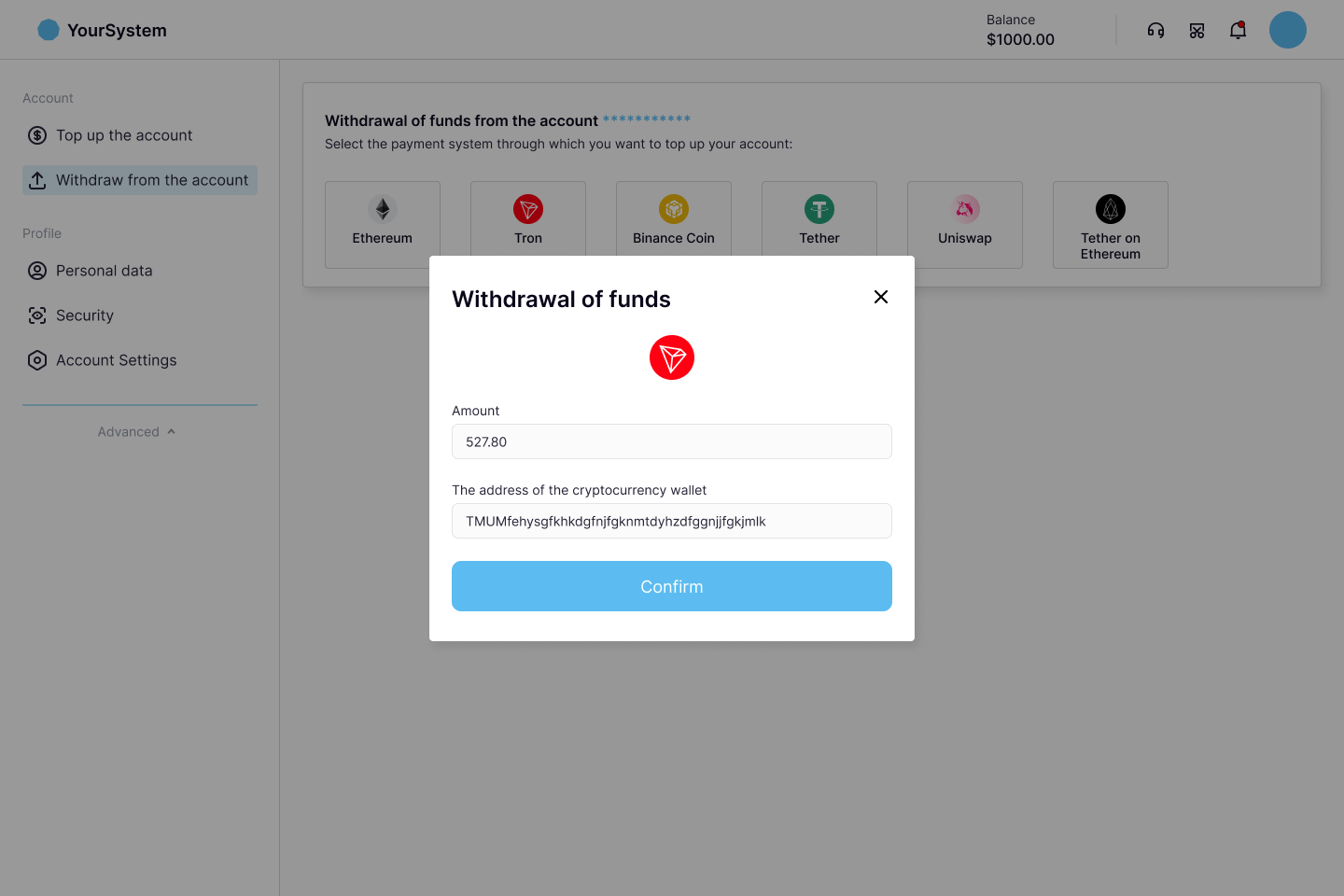
The user goes to your system where they have a balance in the selected cryptocurrency, initiates a withdrawal, and selects the cryptocurrency.
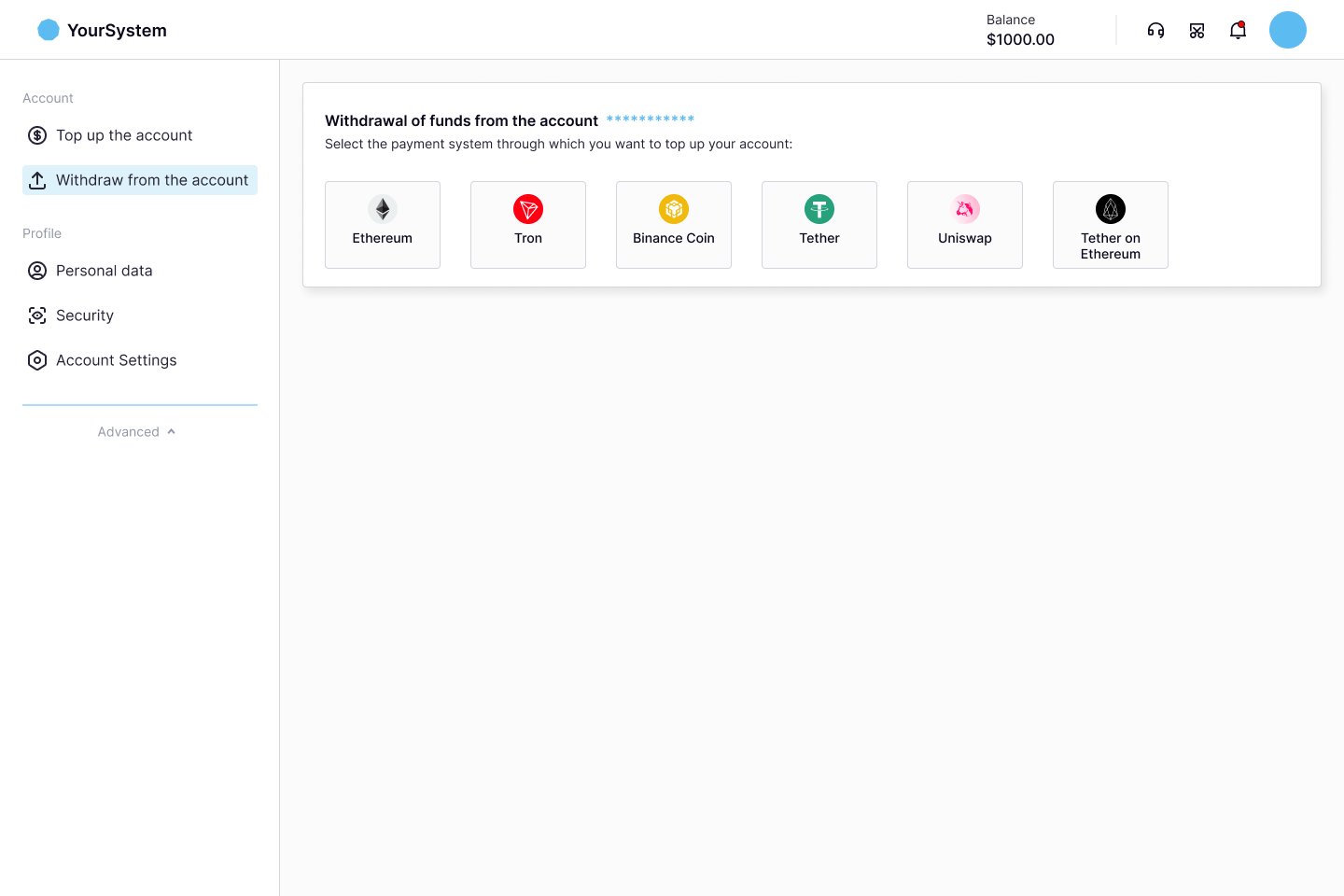
The user makes a withdrawal from their balance in your system to the address obtained earlier for topping up their balance in the external application (cryptocurrency wallet, exchange).
Service Operation
While your deposits and withdrawals are being processed, there may be a need for an auxiliary transfer of funds from one address to another that is not directly related to performing a deposit or withdrawal.
Such a transfer is called a service operation and represents a blockchain transaction. The amount of the service operation does not affect your balance in CryptoBilling, but the blockchain fee for this transaction may be deducted from your balance depending on the tariff.
You can get information about service operations for which the blockchain fee was deducted from your balance in the following possible ways:
By processing a callback from CryptoBilling with information about the service operation performed (see Callbacks).
By calling the API
/serviceOperations/feeTakenFromBalance.
Refund
Deposit Refund Scenarios
During the processing of your deposit in CryptoBilling, there might be cases where a specific deposit is not credited to your balance due to the following reasons:
High-Risk Deposit Flagged by AML System If the deposit transaction risk level exceeds your acceptable threshold as determined by the AML system check, the deposit processing will be suspended. In this scenario, you can contact our support team to approve the deposit, allowing it to be credited to your balance. If you prefer not to credit a high-risk deposit, you have the option to issue a refund for this deposit.
Deposits Rejected for a High-Risk Wallet Address A deposit is made to an address flagged for previously receiving high-risk deposits (refer to case 1) that were not approved and subsequently refunded. Any new deposit sent to such an address will have its processing suspended and can only be refunded. This scenario applies only to cryptocurrencies for which different deposit addresses are generated per user (where the "Memo" parameter is not used).
Deposit Amount Below the Minimum Threshold If the deposited amount is less than the minimum required for crediting a deposit, the processing is suspended. The minimum deposit amount for each cryptocurrency is provided in the "Instruments" section of your personal account. To resolve this, you can combine this deposit with additional deposits to the same address, reaching or exceeding the required minimum amount. Once the total deposit value matches the minimum threshold, all deposits will be credited to your balance. Alternatively, if you do not wish to credit the deposit, you have the option to perform a refund.
Unsupported Currency for Processing If the deposit is made in a currency not supported in your processing settings, the deposit cannot be credited. For instance, if TRX is enabled in your system but TRX USDT token is not, and a deposit is sent in TRX USDT token to a TRX address, the deposit processing will be suspended. In such cases, CryptoBilling will not send a notification to your system regarding the deposit. However, you can perform a refund for this deposit.
Refund Operation
The refund operation is performed to return funds not credited to your balance back to a specified address. This process involves generating a blockchain transaction. A single refund operation may include one or multiple deposits from the scenarios listed above, originating from the same address.
Steps to Initiate a Refund
To initiate a refund for a deposit not credited to your balance due to one of the scenarios described earlier, you need to contact our support team and request a deposit refund. Please provide the following information in your request:
The name of the cryptocurrency.
Details of the deposit, such as:
CryptoBilling deposit ID,
Your system's deposit ID,
User ID,
Transaction hash,
Recipient address.
In your request for the refund, you will also need to specify the address where the funds should be returned. A single refund operation can include multiple deposits of the same cryptocurrency sent to the same address.
Refund Status
For the deposit being refunded, its status will be changed to "ForRefund," indicating it is ready to be refunded:
For deposits from scenarios 1 and 3, this status is set after contacting support with a refund request.
For deposits from scenario 2, this status is set automatically.
For scenario 4, no callback is generated when a deposit enters the "ForRefund" status.
If your system uses callbacks, CryptoBilling will send a callback to your system with the deposit information and its "ForRefund" status (see deposit status flow during the refund process for more information).
Blockchain Transaction and Fees
Once the refund is registered with the support team, CryptoBilling will create a blockchain transaction to return the funds to the specified address. Blockchain fees for the refund transaction apply, and how these fees are paid depends on the currency in which the deposit is being refunded (native blockchain currency or token).
For refunds in native currency, the fees are covered from the refunded deposit(s).
For refunds in tokens, the refund fees are handled differently:
After the refund is registered, you must deposit the native currency to the token's deposit address to cover the blockchain fees. This may involve one or several deposits.
CryptoBilling waits for this deposit to process and cover the refund fees before starting the refund request.
The deposited native currency is then used to pay the refund blockchain commission.
If there is any unused balance remaining from the deposited funds for covering fees, the remainder can either be refunded to the specified address or credited to your account balance. This preference should be specified when registering the token refund.
If a deposit for payment of the token return fee has a high risk score in the AML system, then the remainder of such deposit cannot be credited to the client's balance.
Refund Details and Options
If the "Return unused balance from fee payment" option is enabled when registering a token refund in support, any remaining funds from the fee deposit will be refunded to the specified token address in a separate refund transaction.
If the option is not enabled, unused funds from the fee deposit will instead be credited to your balance, provided that the risk level of the deposit used to pay the fees falls within the acceptable threshold.
Completion of Refund
Upon successful completion of the refund transaction in the blockchain, the deposit status is updated to "Refunded."
If your system uses callbacks, CryptoBilling will send a callback to your system containing the deposit information and "Refunded" status (see deposit status flow during the refund process for more information).
For further updates regarding the refund status, you can contact support directly.
Action Sequence
The user sends a deposit in a cryptocurrency to a previously obtained deposit address.
CryptoBilling tracks the transaction on the blockchain and processes the deposit.
If your system uses callback mechanisms, CryptoBilling sends a callback to your system with deposit information, including transaction status, amount, fee, etc.
Otherwise, your system retrieves deposit information, including transaction status, amount, fee, etc., via an API call.
During the deposit processing, CryptoBilling determines that the deposit cannot be credited to your balance for one of the reasons listed in the "Deposit Refund Cases."
CryptoBilling suspends the processing of the deposit.
Your user submits a request to CryptoBilling support for a deposit refund, providing the necessary details for the refund.
A support agent reviews the request and updates the deposit status in CryptoBilling, marking it as eligible for a refund state ("ForRefund").
If your system uses callback mechanisms, CryptoBilling sends a callback to your system containing the deposit information with the "ForRefund" status.
The support agent registers the refund request in CryptoBilling.
For deposits in the native blockchain currency: CryptoBilling transfers the deposit funds to the specified return address on the blockchain. The refund blockchain fee is deducted from the refunded deposit.
For deposits in tokens:
CryptoBilling waits for a deposit in the native blockchain currency to cover the refund fee. You need to send this deposit to the address associated with the refundable token deposit.
After receiving this deposit for the refund fee, CryptoBilling transfers the refundable token deposit to the specified return address on the blockchain. The refund blockchain fee is paid using the provided native currency deposit.
After completing the token deposit refund, CryptoBilling either:
Returns the remaining native currency deposit balance used for the refund fee to the specified return address, or
Credits it to your balance, based on the "Return unused fee balance" option selected during refund registration.
After the refund transaction is successfully completed on the blockchain: If your system uses callback mechanisms, CryptoBilling sends a callback to your system containing information about the deposit with the "Refunded" status.
Refund Fee Adjustment on Balance
The blockchain fee for executing a refund transaction is not deducted from your balance since:
For refunds in the native blockchain currency, the fee is paid from the refunded deposit itself.
For refunds in tokens, the fee is paid from a separate deposit in the native blockchain currency made specifically to cover the refund fee.
However, if after completing the token refund, any remaining amount of the native currency deposit used for the refund fee is credited to your balance, it is processed in CryptoBilling as follows:
Deposit in Native Currency is Processed Like a Regular Deposit:
Your system receives information about the deposit credited to your native currency balance either via a callback from CryptoBilling or by calling the API endpoints
/deposits/listand/deposits/{id}. This information will include the full amount of the deposit sent.The remaining balance of the deposit, after deducting the refund fee, is credited to your native currency balance. The commercial fee for this deposit is calculated based on the credited remainder amount.
Fee for Refund is Recorded by CryptoBilling:
The portion of the deposit used to pay the refund fee is recorded in CryptoBilling as the refund fee you have paid.
Your system can retrieve information about these refunds, where you paid the blockchain fee, via the API endpoint
/refunds/feeTakenFromBalance.You can also view details about refund fees in the "Transactions" section of your personal account.
Callbacks
More information can be found on callbacks page.
CryptoBilling can send notifications to your system with information about your operations (e.g., deposits, withdrawals, service operations). Callbacks are used for this purpose.
If you want to use the callback mechanism to track the processing status of your operations, you need to set up a callback URL in the personal account see API Documentation / Callbacks. During the processing of your cryptocurrency payments, CryptoBilling will send notifications in JSON format with all the necessary information about the transaction to this URL address.
CryptoBilling callbacks contain all the important information about the transaction:
Processing status
Currency
Address
Amount
Transaction hash in the blockchain
Number of confirmations
Fee
Etc.